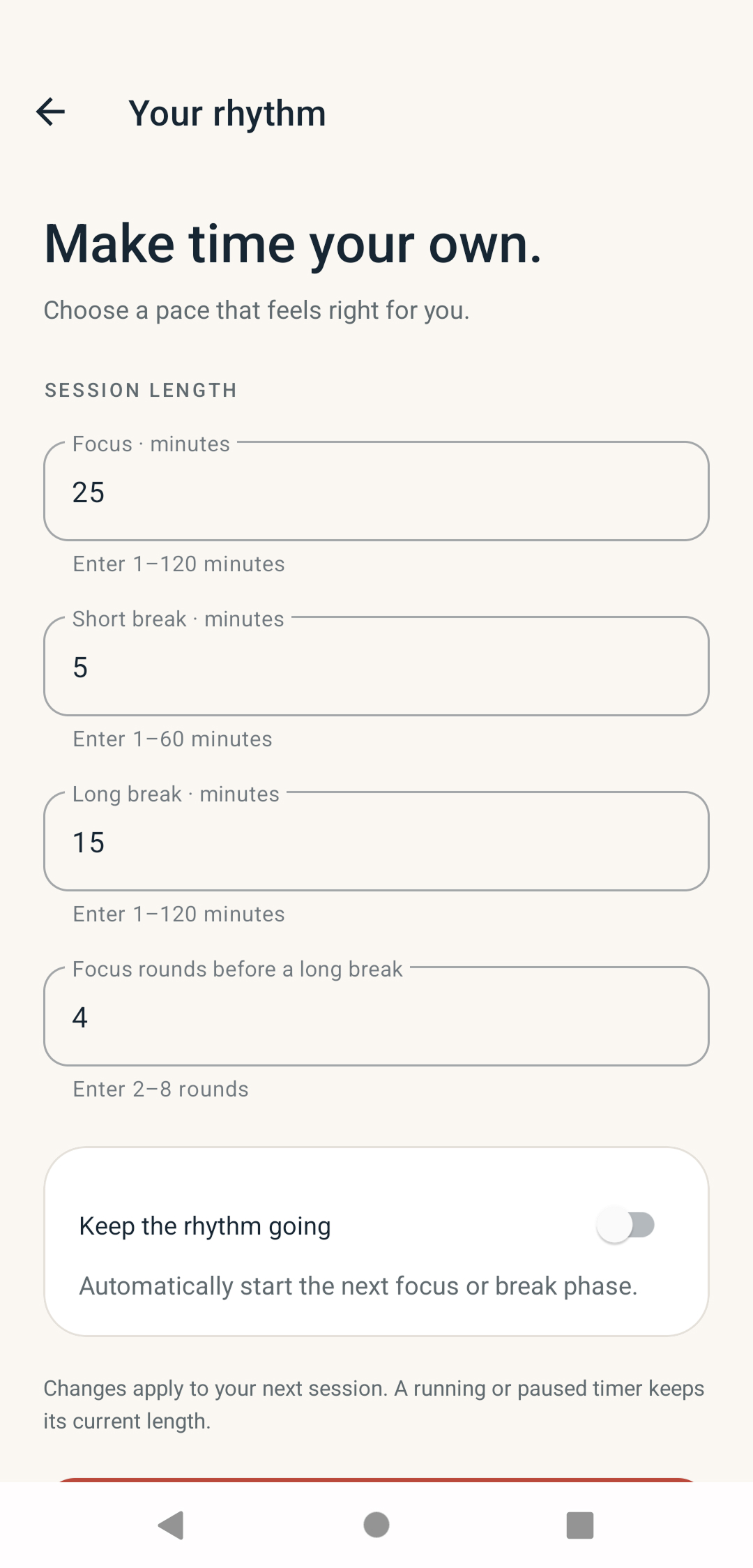
Choose a pace that fits
Set focus sessions from 1–120 minutes, short breaks from 1–60 minutes, and long breaks from 1–120 minutes.
 ANDROID · POMODORO TIMER
FocusSprout helps you give coding, debugging, reviews, and documentation a dedicated stretch of attention—then makes room for a break.
See how it works
A flexible Pomodoro cycle for the work in front of you—with breaks planned in, and progress that is easy to revisit.
Set focus sessions from 1–120 minutes, short breaks from 1–60 minutes, and long breaks from 1–120 minutes.
Choose 2–8 focus rounds before a long break. Automatic phase starts are optional.
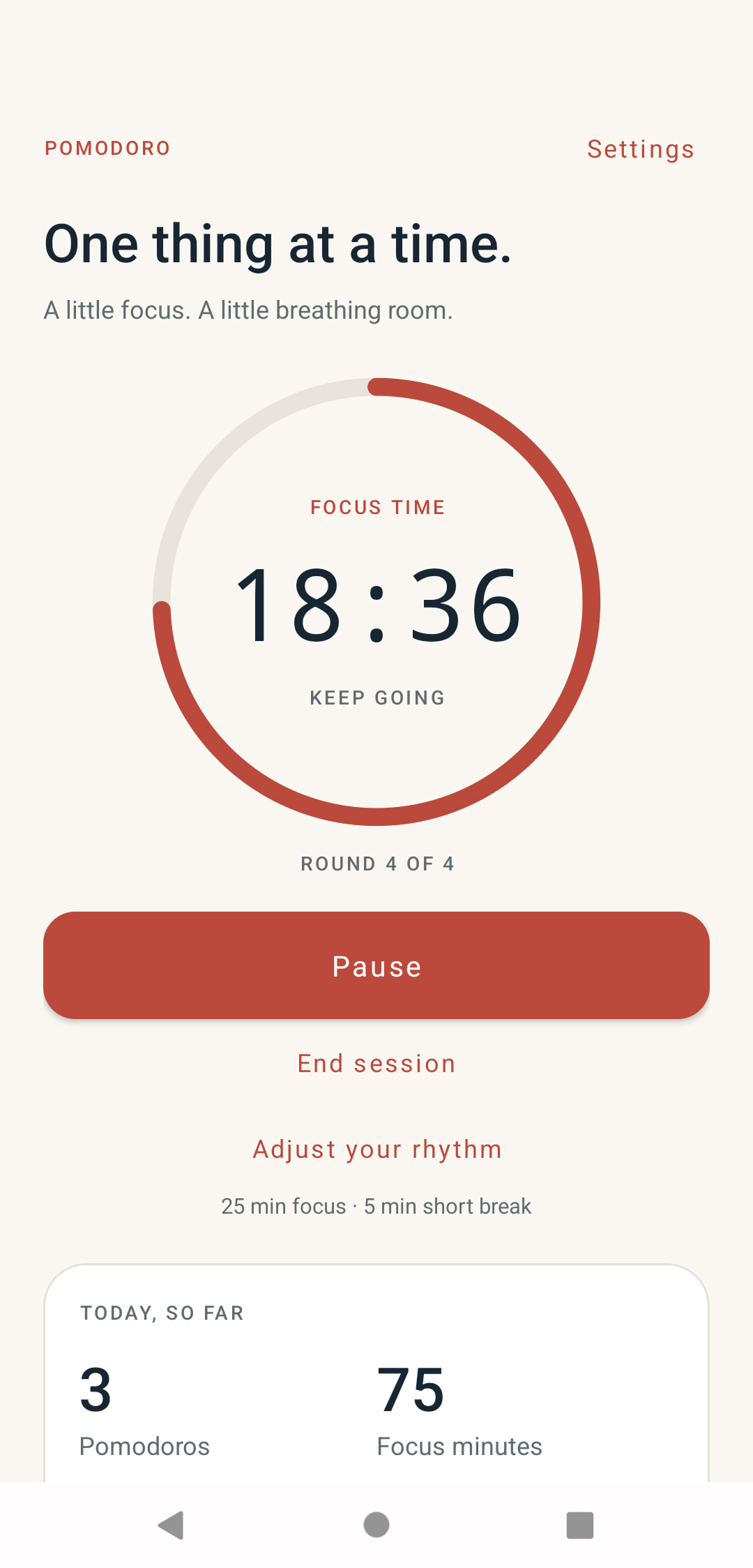
Pause, resume, or end the current timer whenever your day shifts.
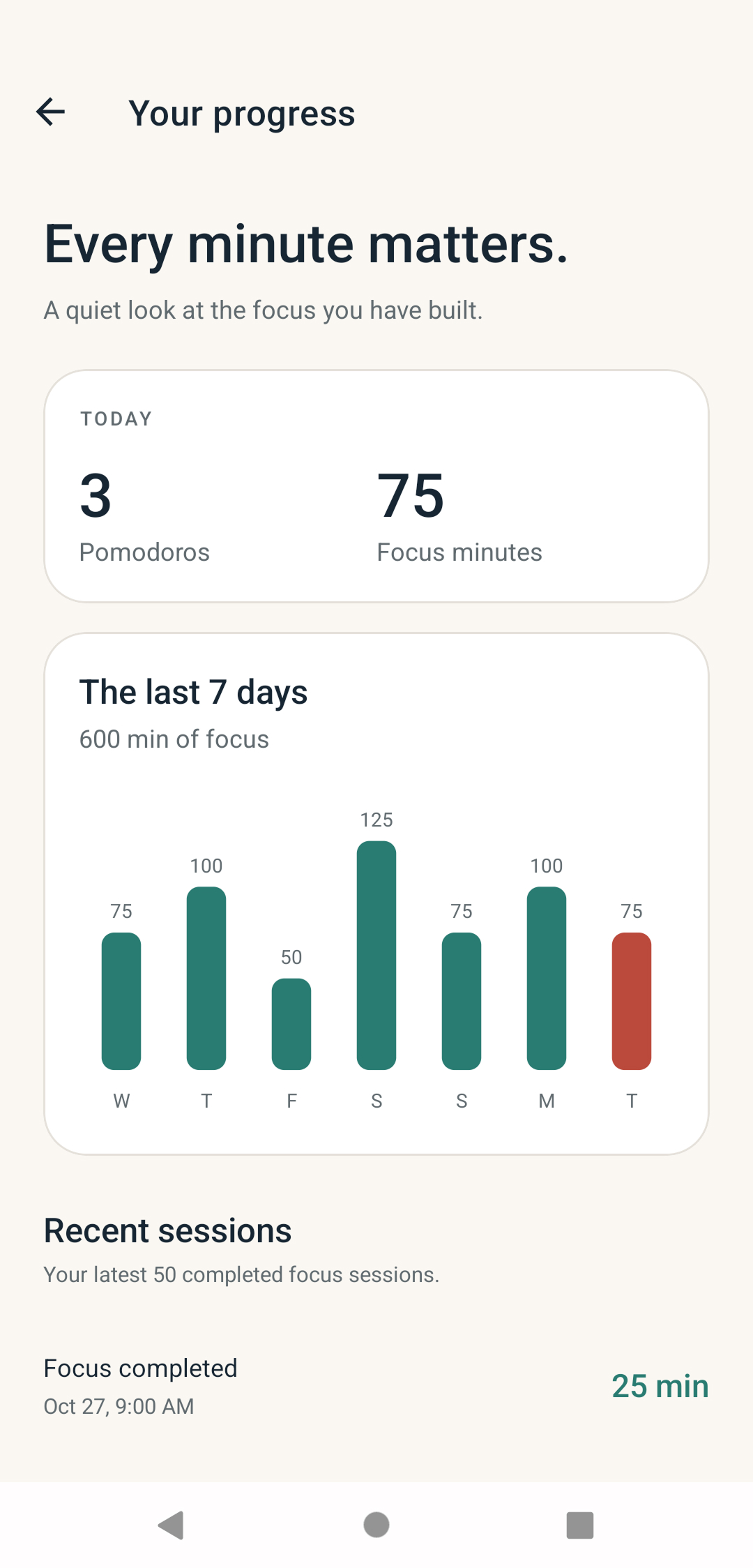
Review today’s completed Pomodoros and focus minutes, the past seven days, and your 50 most recent completed focus sessions.
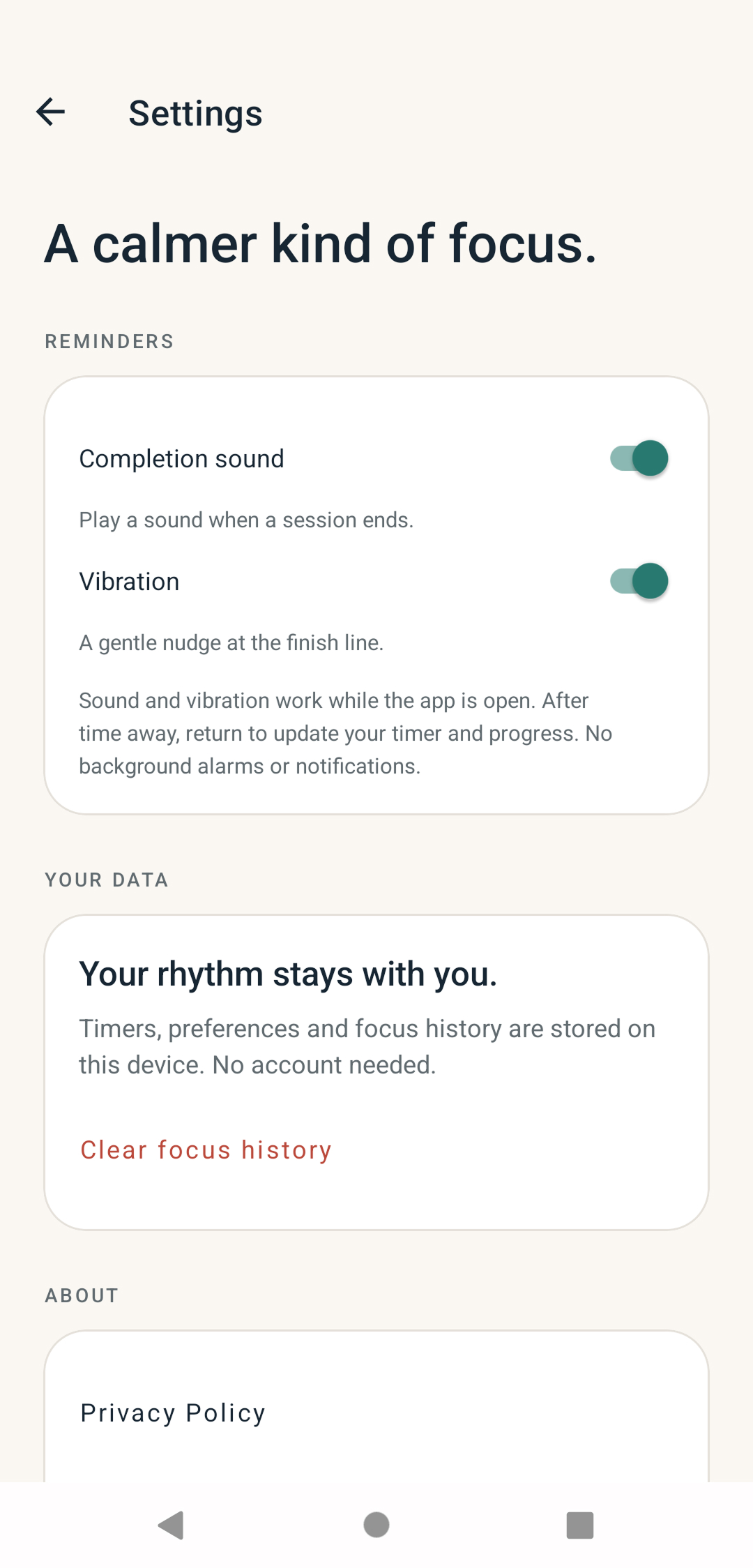
Start a session, tune your rhythm, check your progress, and choose your finish-line cues.
Explore FocusSprout or visit support if you need help with the app.